
Let me ask you something. When was the last time you searched for a doctor on Google?
Chances are, you typed something like ‘gynaecologist near me’ or ‘best neurologist in Gurgaon’ and then clicked on one of the first three results that appeared on the map. You probably checked their reviews, looked at their photos, maybe clicked ‘Call’ or ‘Get Directions, all without ever visiting their website.
That is exactly how your patients are finding or not finding you right now.
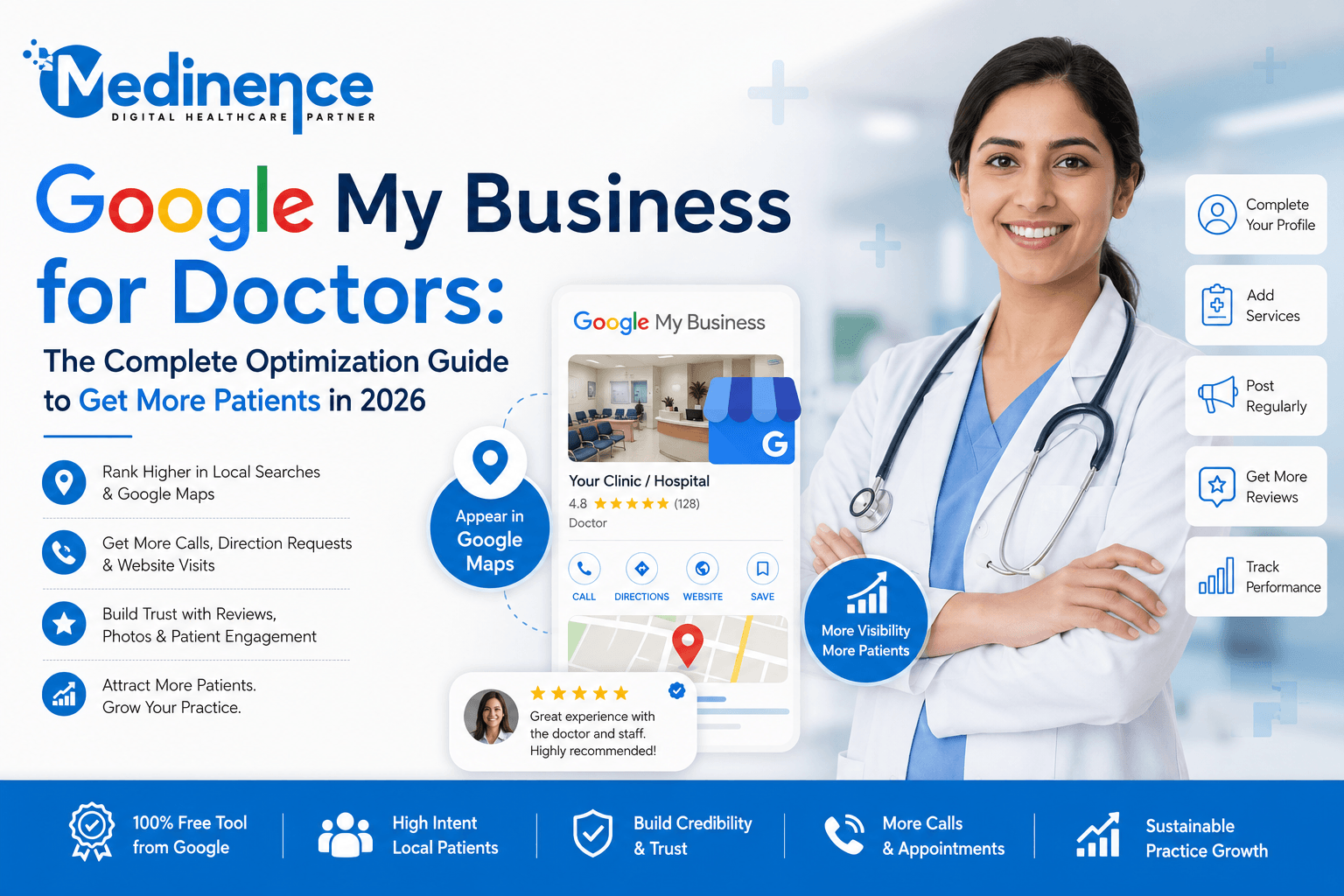
Google My Business for doctors (now officially called Google Business Profile) is the single most powerful free tool available to any clinic or medical practice in India today. It controls whether you appear in that map section, how many patients call you directly from Google, and how trustworthy your clinic looks before a patient has even walked through your door.
At Medinence, we manage Google Business Profiles for doctors across Gurgaon and Delhi NCR. In this guide, we are going to share everything we know — from setup to optimization to ongoing management — so your clinic can start showing up where patients are actively searching.

What is Google My Business — And Why Should Every Doctor Care?
Google My Business (now called Google Business Profile) is a free listing that Google offers to businesses — including clinics, hospitals, and individual doctors. When you search for a doctor or clinic on Google, the section that shows a map with three businesses listed below it is called the Local Pack or Map Pack. That section is powered entirely by Google Business Profiles.
Here is why this matters more than almost anything else in your digital marketing strategy:
- 77% of patients search online before booking a doctor’s appointment — and most of those searches lead to Google Maps
- Patients who find you through Google Maps are high-intent — they are actively looking for a doctor, not just browsing
- A well-optimized GMB profile gets 7 times more clicks than an incomplete one
- Patients can call you, get directions, read reviews, and book appointments — all without leaving Google
- It is completely free, and yet most doctors either have no profile or have one that is poorly set up
Think of your Google My Business profile as your clinic’s digital front door. Before a patient ever calls you or visits your website, they will almost certainly check your GMB profile. If it looks incomplete, has no reviews, or hasn’t been updated in months, many of them will quietly click on the next doctor instead.
Step 1: Setting Up Google My Business for Doctors the Right Way
If you have not yet claimed your Google Business Profile, here is how to do it:
Claiming Your Profile
- Go to business.google.com and sign in with your Google account
- Search for your clinic name — Google may already have a listing for you
- If it exists, click ‘Claim this business’ and verify ownership
- If it does not exist, click ‘Add your business to Google’ and create it from scratch
- Verification is usually done via phone call, SMS, or postcard to your clinic address
Getting the Basics Right
Once you have access, fill in every single field. Do not leave anything blank. Here is what matters most:
| Field | What to Do |
| Business Name | Use your exact name — Dr. [Name] or [Clinic Name]. No keywords stuffed in. |
| Primary Category | Choose the most specific category — ‘Gynecologist’ not just ‘Doctor’ |
| Secondary Categories | Add 2-3 related ones — e.g., ‘Obstetrician’, ‘Women’s Health Clinic’ |
| Address | Exact address with floor, building name, landmark. Match your website exactly. |
| Phone Number | Local clinic number preferred over mobile. Must match your website. |
| Website URL | Link to your homepage or the most relevant service page |
| Business Hours | Accurate hours including lunch breaks. Update for holidays. |
| Business Description | Use all 750 characters. Include primary keyword naturally in first sentence. |
| Services | Add every service you offer — PCOS, pregnancy care, surgery etc. |
| Attributes | Women-led, wheelchair accessible, appointment required — whatever applies |
Step 2: Photos — The Most Underestimated Part of GMB Optimization for Doctors
Here is something most doctors do not know: Google Business Profiles with photos receive 42% more requests for directions and 35% more click-throughs to websites than profiles without photos. Patients are visual. Before they trust you with their health, they want to see your clinic.
What Photos to Upload
- Profile photo — A clear, professional headshot of the doctor. Smiling, formal, good lighting.
- Cover photo — The best image of your clinic exterior or reception. This is the first thing patients see.
- Interior photos — Reception, consultation room, waiting area. Clean, well-lit, welcoming.
- Team photos — Doctors, nurses, and support staff together. Builds human connection and trust.
- Equipment photos — If you have advanced diagnostic equipment, show it. Builds credibility.
- Awareness posters — Health awareness infographics for PCOS, pregnancy care, etc.
Photo Best Practices
- Minimum size: 720 x 720 pixels. Higher resolution is better.
- File size: Under 5MB per photo
- Name your files descriptively before uploading — ‘dr-parima-dixit-clinic-gurgaon.jpg’ not ‘IMG_4521.jpg’
- Upload at least 10 photos when you first set up. Then add 1-2 new ones every week.
- Never use stock photos. Google can detect them, and patients distrust them
Step 3: Google Reviews — Your Most Powerful Patient Acquisition Tool
If there is one thing that will make or break your GMB profile, it is reviews. Not just the star rating, but the number of reviews, how recent they are, and how you respond to them.
Think about it from a patient’s perspective. You are choosing between two gynaecologists, both of whom have similar experience. One has 12 reviews from 2022. The other has 67 reviews, many from this year, and the doctor replies to every single one. Which one would you choose?
How to Get More Patient Reviews on Google
- Directly ask satisfied patients — most people are happy to help if you just ask
- Send a WhatsApp message after the appointment: ‘Thank you for visiting. If you had a good experience, we would be grateful if you could share a Google review. Here is the link: [your GMB review link]’
- Put a small card or QR code at reception with a ‘Leave us a review’ prompt
- Get your GMB review link from business.google.com > Get more reviews > Copy link
- Train your staff to mention reviews to patients who express satisfaction
- Never buy fake reviews — Google detects and removes them, and it can get your profile suspended
How to Respond to Reviews — Good and Bad
Responding to every review, positive and negative, signals to Google that you are an active, engaged business. It also signals to future patients that you care. Here is how to handle both:
Positive review response: ‘Thank you so much for your kind words! We are so glad your experience with Dr. [Name] was positive. Your health and comfort are always our first priority. We look forward to continuing to be your trusted healthcare partner.’
Negative review response: ‘Thank you for sharing your feedback. We are sorry your experience did not meet expectations. We take all concerns seriously and would like to resolve this. Please contact us at [number] so we can understand better and address your concern directly.’
Step 4: GMB Posts — The Weekly Habit That Separates Active Profiles from Stale Ones
GMB posts are short updates that appear directly on your Google profile. They expire after 7 days, which is why posting weekly is essential. Doctors who post regularly stay more visible in local search — and their profiles look active and trustworthy to patients browsing Google Maps.
What to Post on Your Doctor’s GMB Profile
- Health tips related to your speciality — PCOS diet tips, pregnancy care advice, migraine prevention
- Awareness posts — World Diabetes Day, PCOS Awareness Month, Breast Cancer Awareness
- Patient education content — ‘Did you know? 1 in 5 Indian women has PCOS’
- Appointment reminders and booking information — ‘Consultations available Mon-Sat 9 AM-6 PM. Call to book.’
- New services or equipment announcements
- Festive greetings with a health twist — Mother’s Day, Diwali, Republic Day
How to Write a GMB Post That Actually Gets Noticed
- Start with a hook — a question or a surprising fact
- Keep it between 150-300 words — concise but informative
- Always add a photo — posts with images get significantly more engagement
- End with a clear CTA button — ‘Call Now’, ‘Book’, or ‘Learn More’
- Include your primary keyword naturally — e.g., ‘As a gynecologist offering PCOS treatment in Gurgaon…’
Pro Tip from Medinence: We schedule GMB posts for all our doctor clients every Monday morning. Consistent weekly posting even just one post per week makes a measurable difference in profile visibility within 4-6 weeks. It takes 15 minutes. The results are worth it.
Step 5: The Services Section — Where Most Doctor Profiles Leave Money on the Table
The Services section of your GMB profile is one of the most overlooked optimization opportunities. When a patient searches for ‘PCOS doctor near me’, Google matches their search to the services listed on nearby profiles. If PCOS is not listed as a service on your profile, you may not show up — even if you treat it every day.
Go to your profile, click Edit Profile, and add every condition you treat and every service you offer. Be specific:
- Do not just write ‘Gynecology’ — write ‘PCOS Treatment’, ‘Antenatal Care’, ‘Hormonal Imbalance Treatment’, ‘Laparoscopic Surgery’
- Add a short description for each service — 100-300 characters explaining what it involves
- Include conditions you treat, not just procedures — patients search by condition, not procedure name
- Update this list whenever you add a new service or start treating a new condition
Step 6: Tracking Your GMB Performance — What to Check Every Month
One of the biggest mistakes doctors make is setting up their GMB profile and then never looking at what is actually happening. Google provides free analytics inside your profile called Performance, and the data there can tell you a great deal about how patients are finding and engaging with your clinic.
Key Metrics to Track
- Search views — How many times your profile appeared in Google Search results
- Map views — How many times your profile appeared on Google Maps
- Direction requests — How many people asked Google Maps to navigate to your clinic
- Calls — How many people clicked ‘Call’ directly from your profile
- Website clicks — How many people visited your website from GMB
- Photo views — Which photos are getting the most attention
- Search queries — What exact terms patients are typing to find your profile
Check this data monthly. If calls are low, maybe your phone number is hard to find. If photo views are low, maybe you need better photos. If direction requests are dropping, maybe a competitor has opened nearby. The data tells you what to fix.
Common GMB Mistakes Doctors Make — And How to Fix Them
Mistake 1: Using Keyword Stuffing in Business Name
Many doctors add words like ‘Best Doctor’, ‘Top Specialist’, or ‘No.1 Clinic’ to their GMB business name. This violates Google’s guidelines and can get your profile suspended. Your GMB name should match your real-world clinic name exactly.
Mistake 2: Inconsistent NAP Information
If your GMB says ‘2nd Floor, Vijay Complex’ but your website says ‘Vijay Complex, 2nd Floor, Sector 14’ — Google sees inconsistency. This hurts your local ranking. Audit every listing across Practo, Justdial, Sulekha, your website, and GMB to ensure they are identical.
Mistake 3: Not Responding to Negative Reviews
Ignoring a negative review is the worst thing you can do. Every unanswered negative review looks like an admission to future patients. Always respond — professionally, within 24-48 hours, and without being defensive. A gracious, empathetic response to a negative review often impresses potential patients more than the negative review puts them off.
Mistake 4: No Posts in Months
A GMB profile with no posts since last year looks abandoned. Google also factors engagement into local ranking. A weekly post is not optional — it is a basic signal that your practice is active and engaged.
Mistake 5: Only 2-3 Photos
Profiles with fewer than 10 photos are considered incomplete by Google’s standards. And patients who see only an exterior shot and a profile photo do not get the visual reassurance they need. Aim for 20+ photos across different categories.
Conclusion
Your Google My Business profile is not a one-time task. It is a living, evolving part of your clinic’s digital presence that needs regular attention — weekly posts, new photos, review responses, and monthly performance checks.
The good news is that most of your competitors are not doing this well. Doctors who show up consistently with active, optimized profiles, fresh photos, recent reviews, and regular posts get the calls. They get the appointments. They grow.
At Medinence, we help doctors across Gurgaon and Delhi NCR manage their Google My Business profiles as part of our healthcare digital marketing services. If you want your clinic to show up first when patients search on Google, and you want to spend your time treating patients instead of managing your online presence, we are here to help.
If you are just getting started with digital marketing for your clinic, you might also want to read our guide on How to Improve Your Online Presence as a Doctor — it covers the foundational steps that work hand-in-hand with your GMB profile.
Frequently Asked Questions (FAQs)
Q. Is Google My Business really free for doctors?
Yes, completely free. Google does not charge anything to create, claim, or optimize a Google Business Profile. The time investment is the only cost — and it is one of the highest-ROI digital marketing activities available to doctors in India.
Q. How long does it take to see results from GMB optimization?
Most doctors start seeing improvements in profile views and call volume within 4-8 weeks of proper optimization. Rankings in the local Map Pack can take 2-4 months of consistent effort — regular posts, fresh photos, and ongoing review collection.
Q. My clinic already appears on Google Maps. Does that mean my GMB is optimized?
Appearing on Google Maps means a basic listing exists — possibly created automatically by Google. It does not mean it is optimized or even claimed by you. Check if you have owner access. An unclaimed, incomplete profile is one of the most common issues we see with doctor profiles across Gurgaon and Delhi NCR.
Q. Should I ask every patient for a review?
You should ask every satisfied patient — yes. The ones who had a good experience and feel comfortable sharing it. Do not offer incentives, do not ask for only positive reviews, and never ask in a way that feels pushy. A simple, genuine request at the right moment works best. Most patients who had a good experience are happy to help when asked politely.
Q. Can I add my assistant or marketing team to manage my GMB?
Yes. Google allows you to add managers to your Business Profile without sharing your personal Google account. Go to business.google.com > Manage Profile > People and Access > Add. This is exactly what we do for our doctor clients at Medinence we manage their GMB as a manager, not an owner.
Q. What if a competitor posts fake negative reviews about my clinic?
This does happen, unfortunately. If you receive a review that you believe is fake or from someone who was never a patient, you can flag it for Google to review by clicking the three dots next to the review and selecting ‘Report review’. Also, respond professionally to all flagged reviews while the dispute is being handled — it shows other patients that you take feedback seriously.